> ## Documentation Index
> Fetch the complete documentation index at: https://docs.loops.fi/llms.txt
> Use this file to discover all available pages before exploring further.
# Web Analytics
> Track visitor behavior and identify users with the Loops analytics script
Using data from the Loops analytics script, we can tell you what pages on your site are the most effective at converting visitors into customers.
## Step 1: Get Your Tracking Script
Visit the dashboard to get the specific tracking script for your organization.
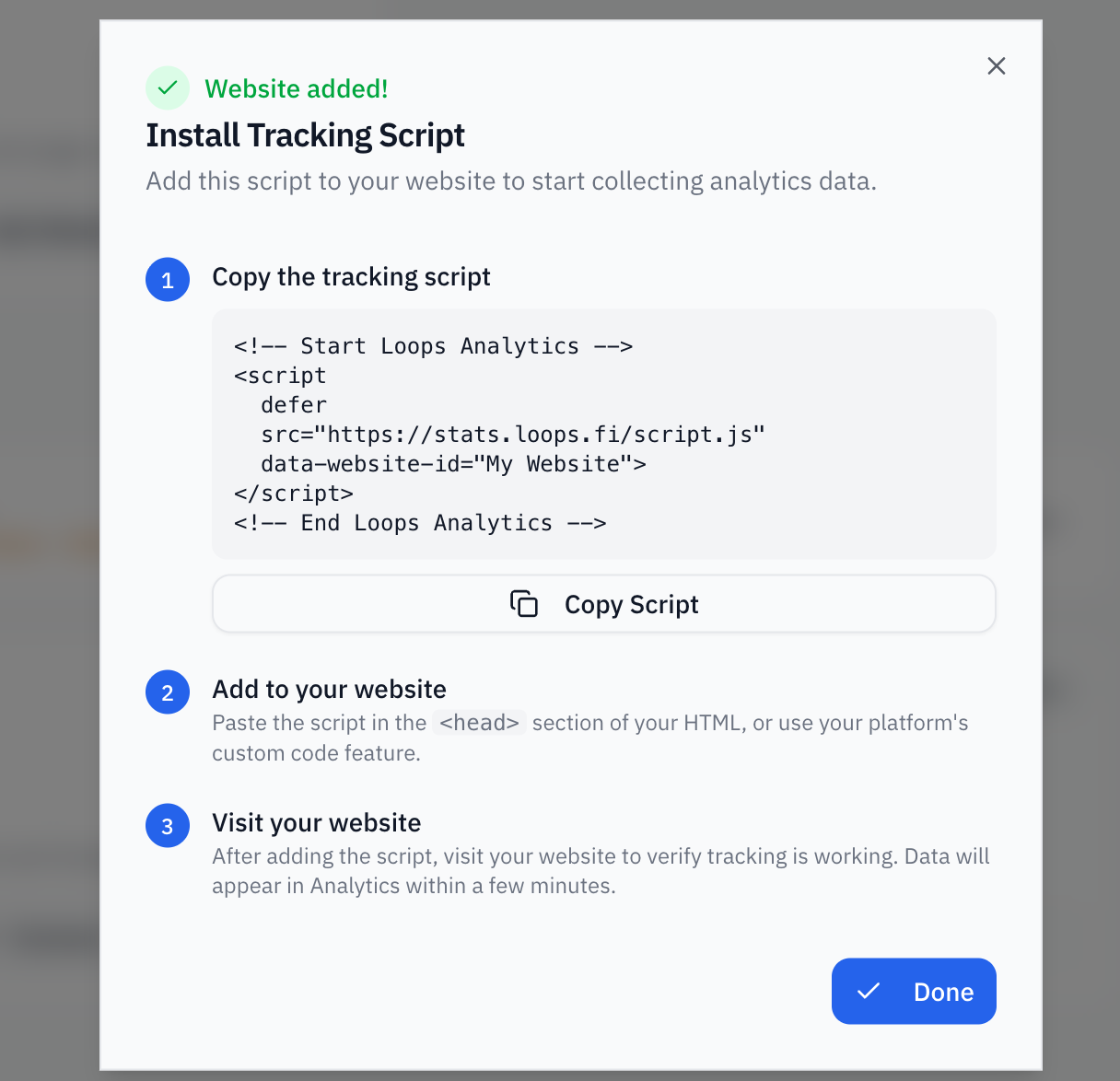 ## Step 2: Install the Tracking Script
Add the script to your website's `` section:
```html theme={null}
```
That's it! The script will automatically track page views and be available as `window.loops`.
## What Gets Tracked Automatically
Once installed, the script tracks:
* **Page views** - Every page visit
* **UTM parameters** - Campaign source, medium, and content
* **Referrers** - Where visitors came from
* **Device info** - Browser, OS, screen size
* **Facebook cookies** - `_fbc` and `_fbp` for Meta ad attribution
* **Google cookies** - `_gcl_aw`, `_gcl_au`, and `_ga` for Google Ads attribution
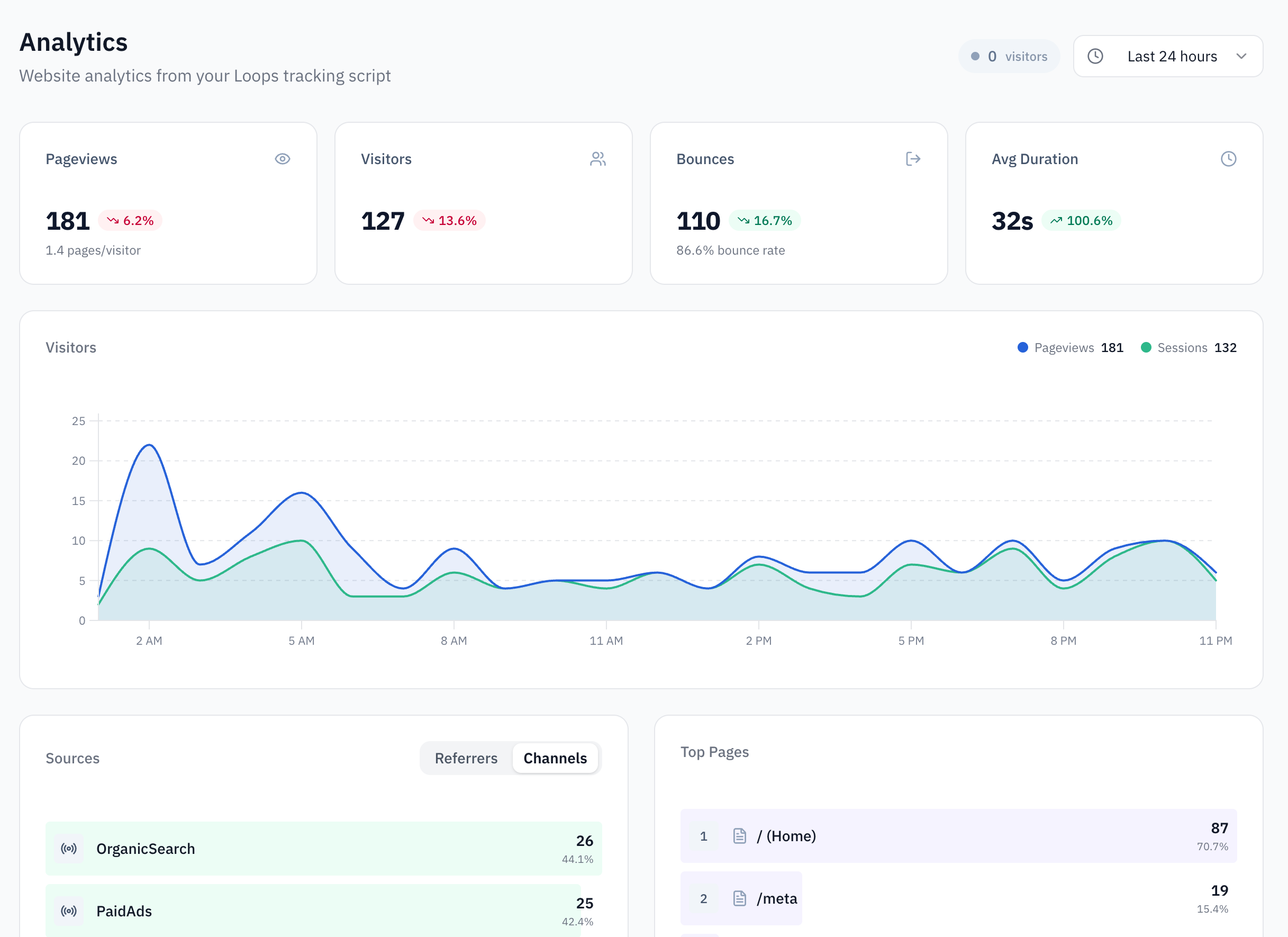
You can view this data on the analytics page in the dashboard.
## Step 2: Install the Tracking Script
Add the script to your website's `` section:
```html theme={null}
```
That's it! The script will automatically track page views and be available as `window.loops`.
## What Gets Tracked Automatically
Once installed, the script tracks:
* **Page views** - Every page visit
* **UTM parameters** - Campaign source, medium, and content
* **Referrers** - Where visitors came from
* **Device info** - Browser, OS, screen size
* **Facebook cookies** - `_fbc` and `_fbp` for Meta ad attribution
* **Google cookies** - `_gcl_aw`, `_gcl_au`, and `_ga` for Google Ads attribution
You can view this data on the analytics page in the dashboard.
 ## Step 3: Identify Users (SDK)
Besides tracking page views, the Loops script can also be used to identify users and track custom events.
When a user signs up or logs in, call `identify` to link their activity to their account:
```javascript theme={null}
loops.identify('user_123', {
email: 'john@example.com',
name: 'John Doe'
});
```
This connects their browsing history to their user profile, enabling accurate attribution.
## Step 4: Track Custom Events (Optional)
Track specific actions on your site:
```javascript theme={null}
loops.track('purchase', {
product: 'Premium Plan',
amount: 99.99
});
```
## Step 3: Identify Users (SDK)
Besides tracking page views, the Loops script can also be used to identify users and track custom events.
When a user signs up or logs in, call `identify` to link their activity to their account:
```javascript theme={null}
loops.identify('user_123', {
email: 'john@example.com',
name: 'John Doe'
});
```
This connects their browsing history to their user profile, enabling accurate attribution.
## Step 4: Track Custom Events (Optional)
Track specific actions on your site:
```javascript theme={null}
loops.track('purchase', {
product: 'Premium Plan',
amount: 99.99
});
```